
Requestly offers ten distinct types of rules that allow you to override default network request behaviors in a webpage. As the number of rules increases, managing them individually can become cumbersome. To address this, Requestly provides the ability to organize these rules into logical groups, enabling you to enable or disable them as a set.
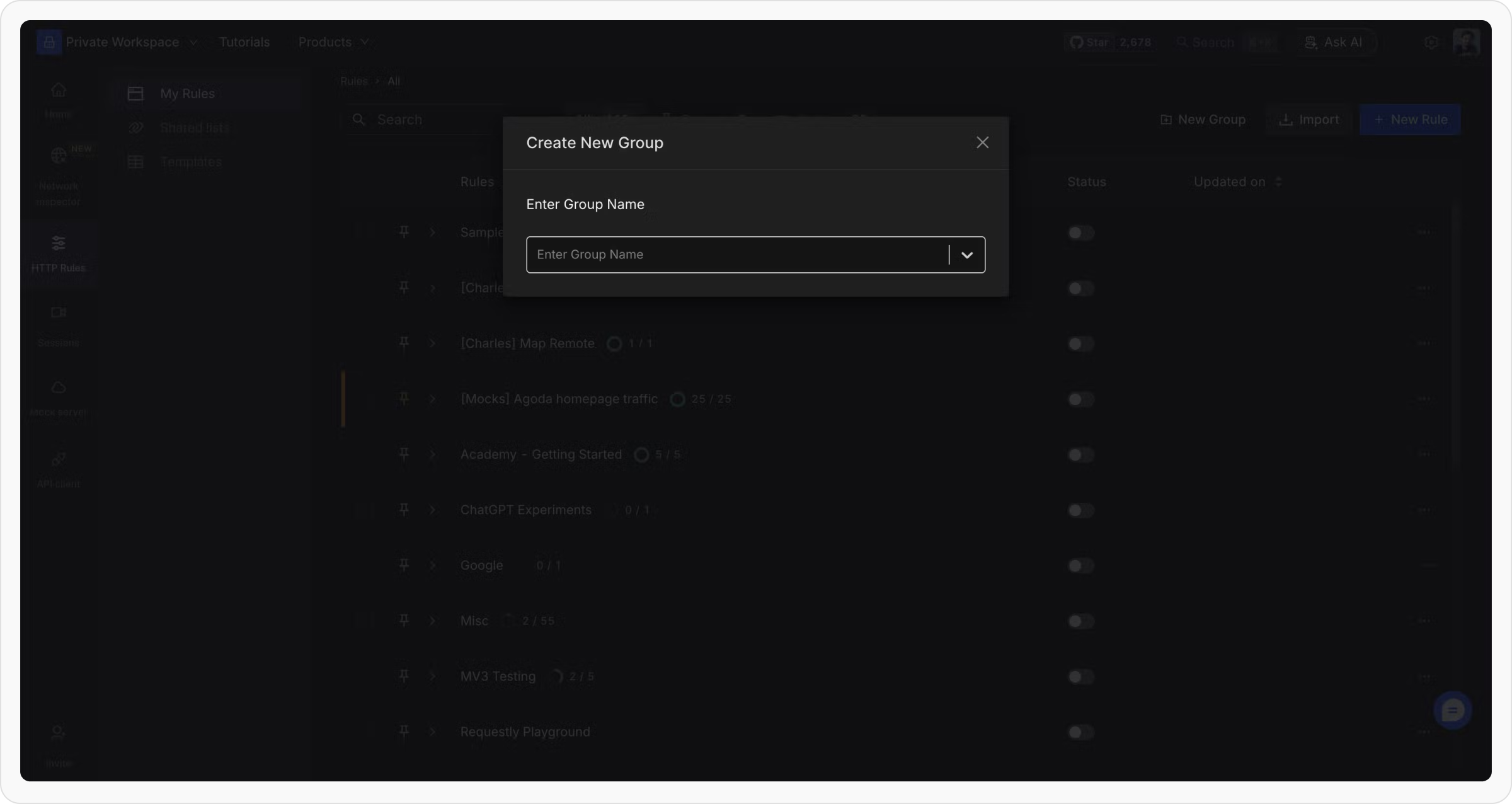
Creating a New Group
To create a new group in Requestly, follow these steps: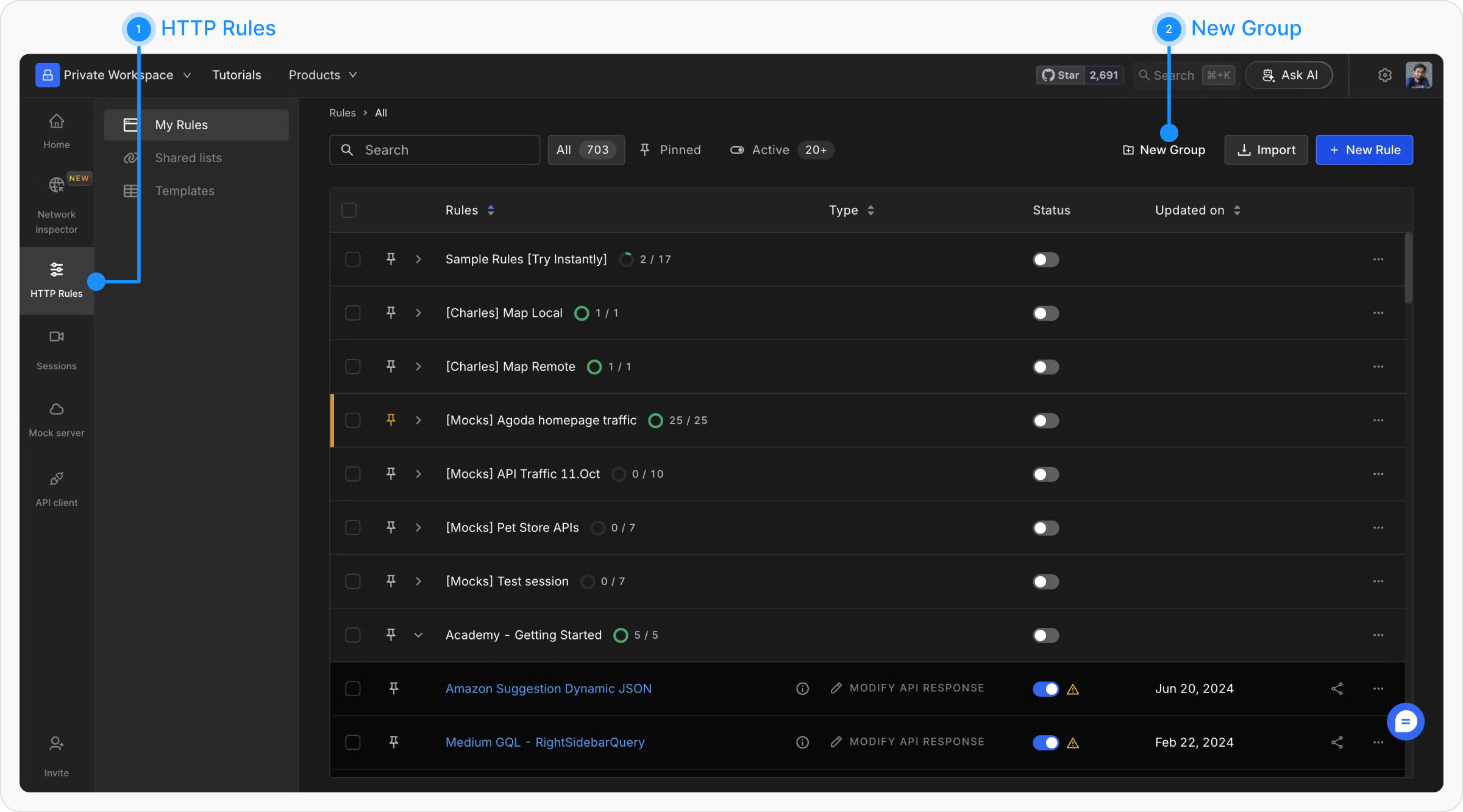
Moving Existing Rules to a Group
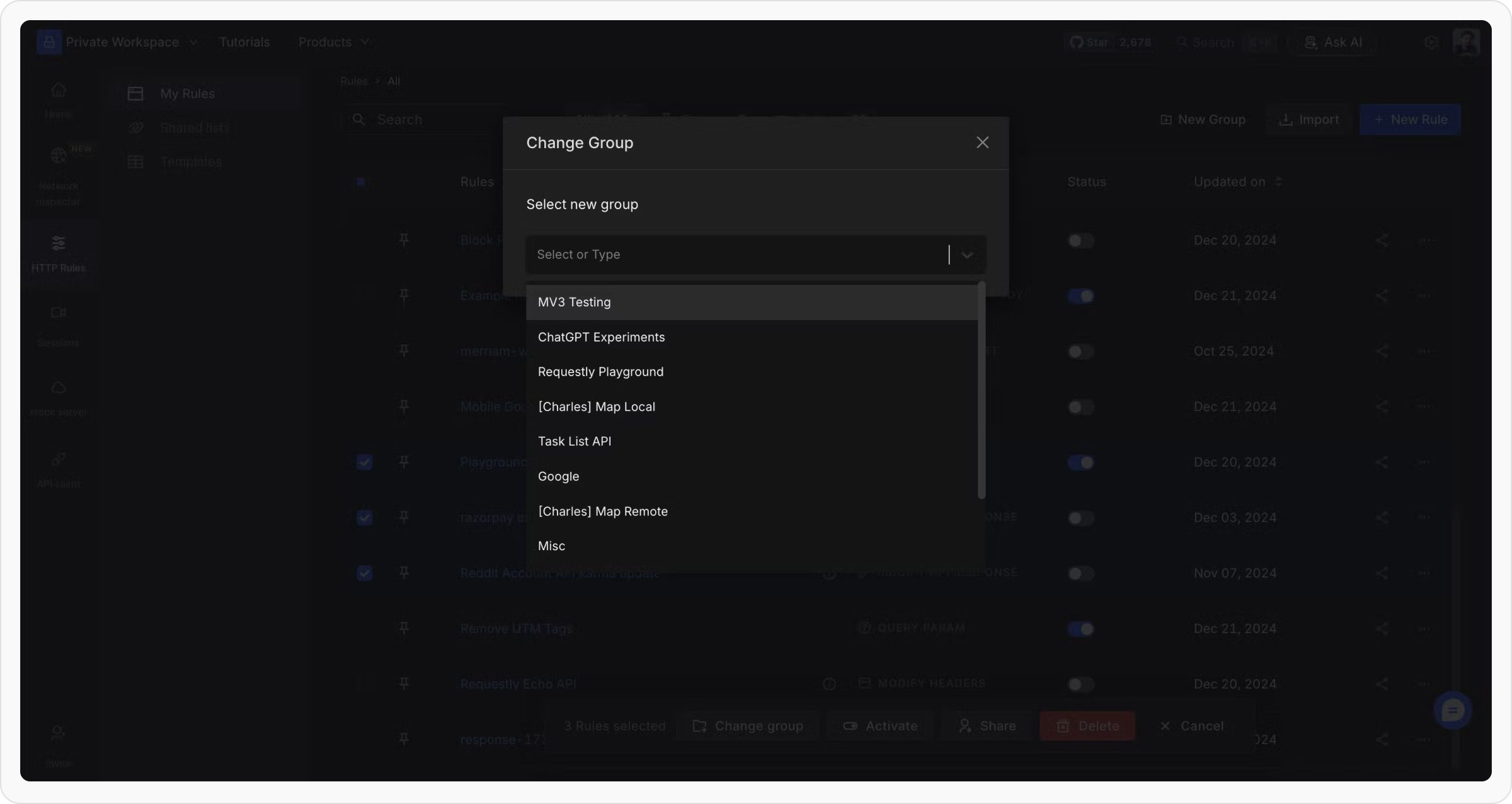
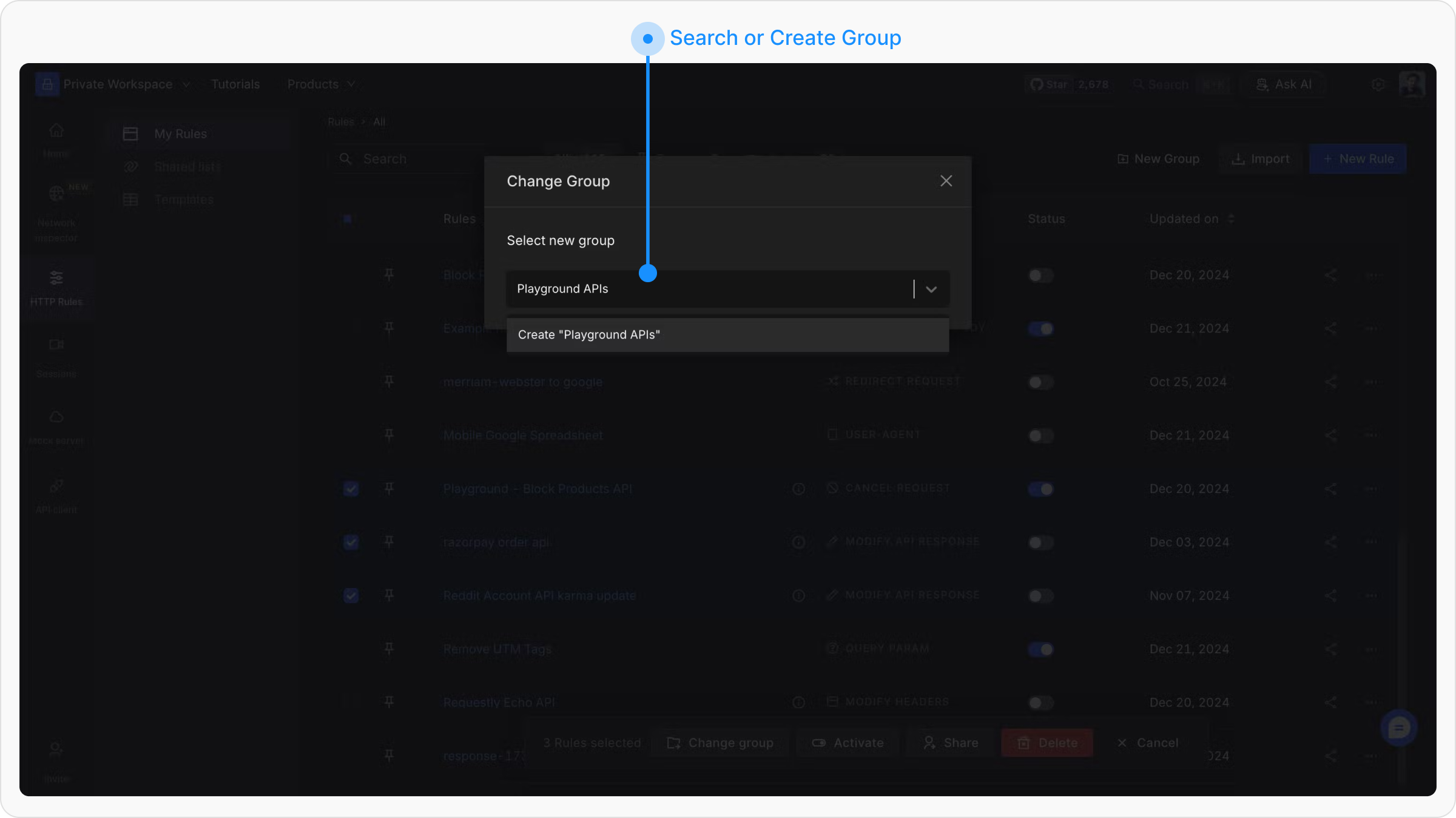
If you already have existing rules that need to be grouped, you can do so by: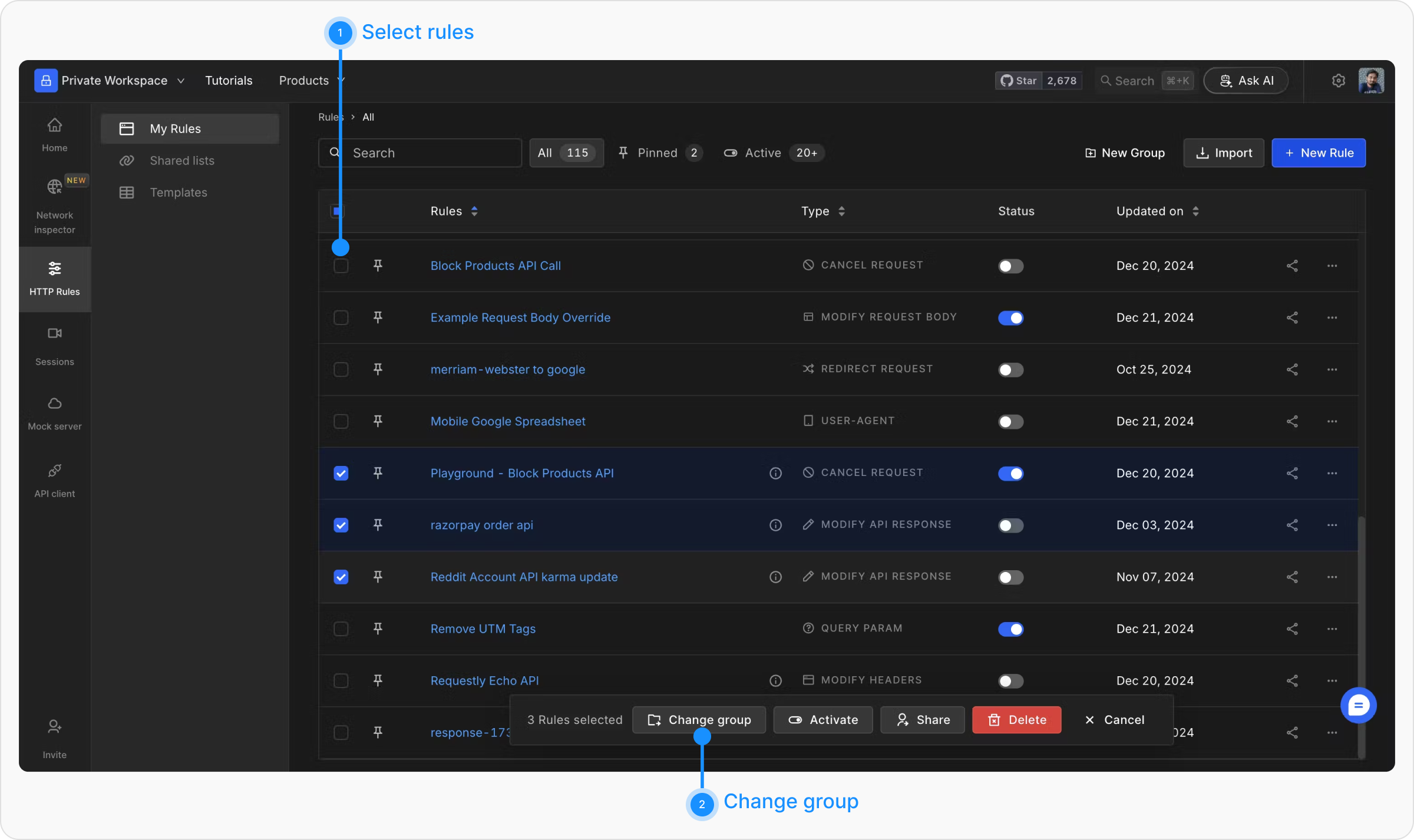
Enabling and Disabling Groups
Once your rules are grouped, you can enable or disable an entire group in one go. This is particularly useful when managing rules for different projects or environments.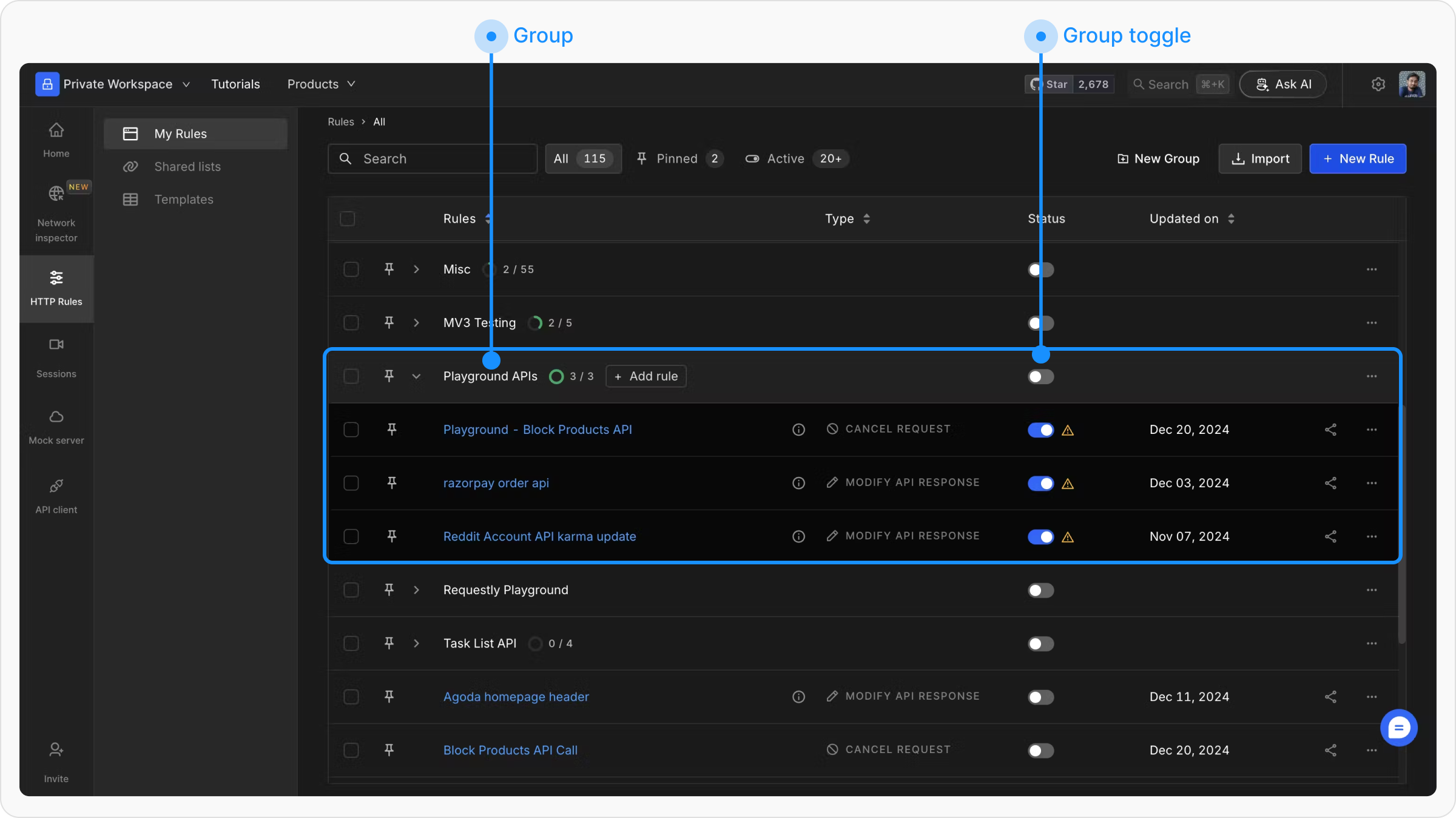
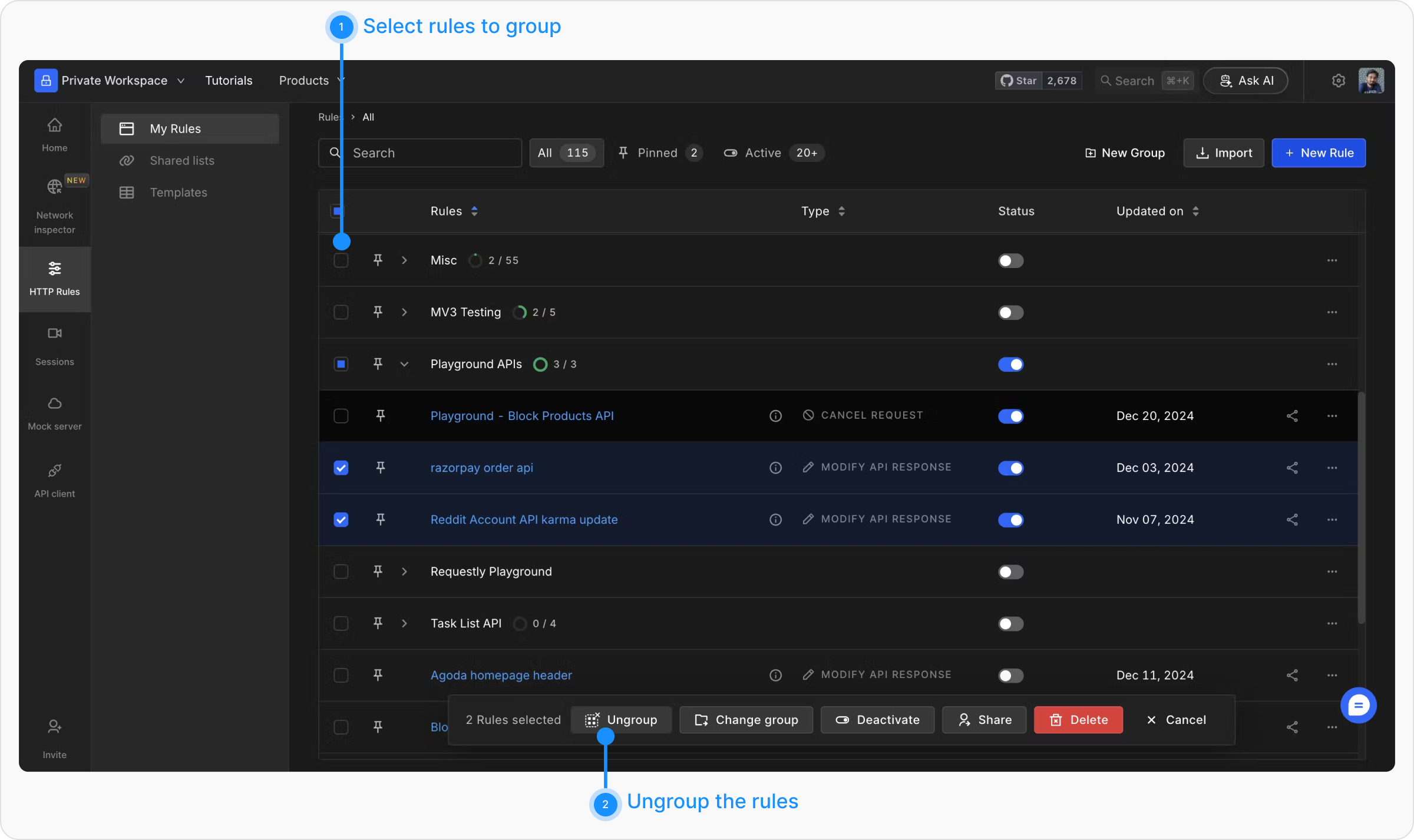
Ungrouping Rules
If you wish to remove a rule from a group, select the rule and ungroup it. This will return it to its standalone state, allowing you to manage it independently.