

How to Generate Client Code
Follow these steps to generate client code for your API request: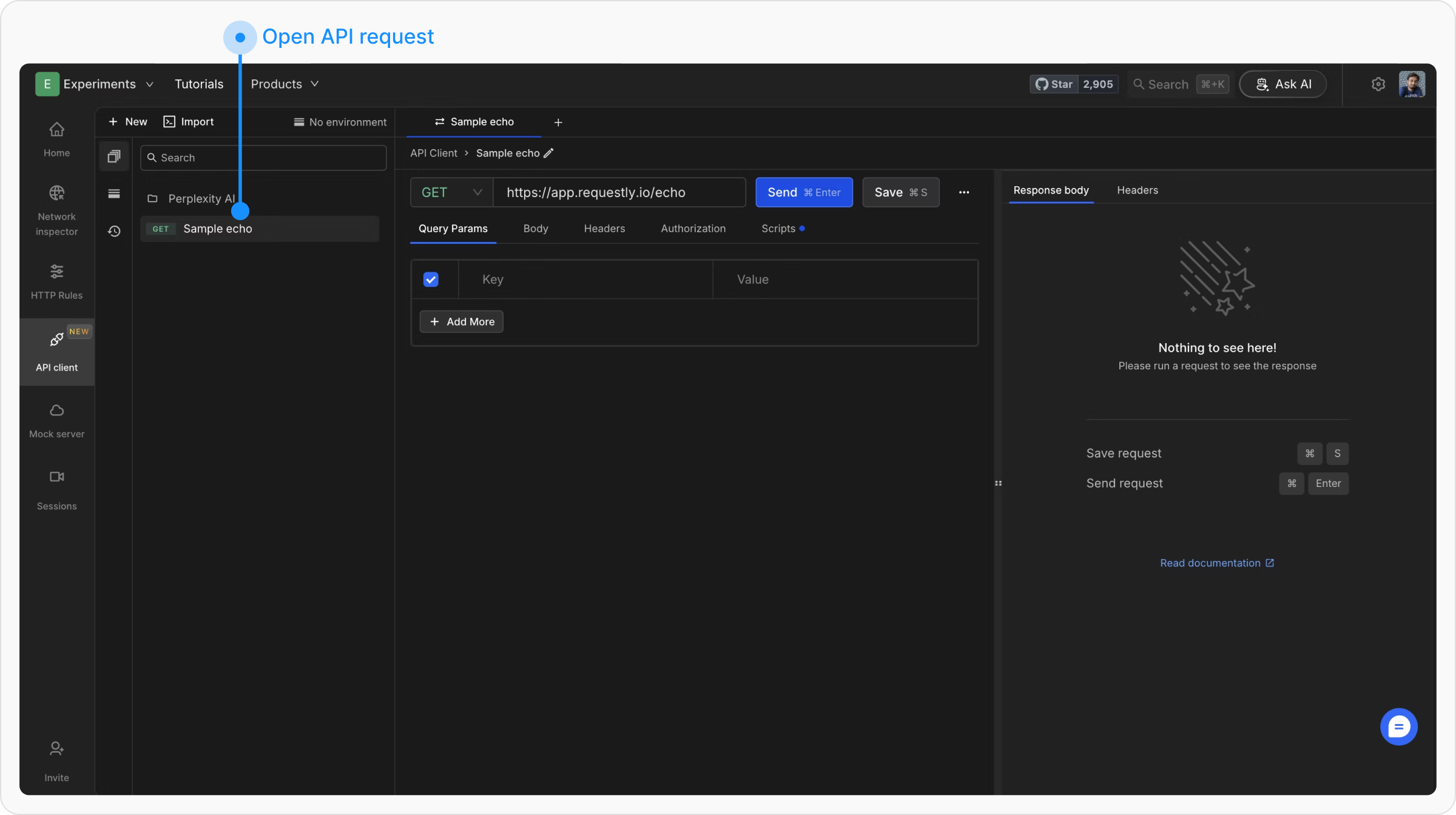
Access Code Generation Menu
Click on the three dots next to the Save button, and then, from the dropdown menu, click on Copy As.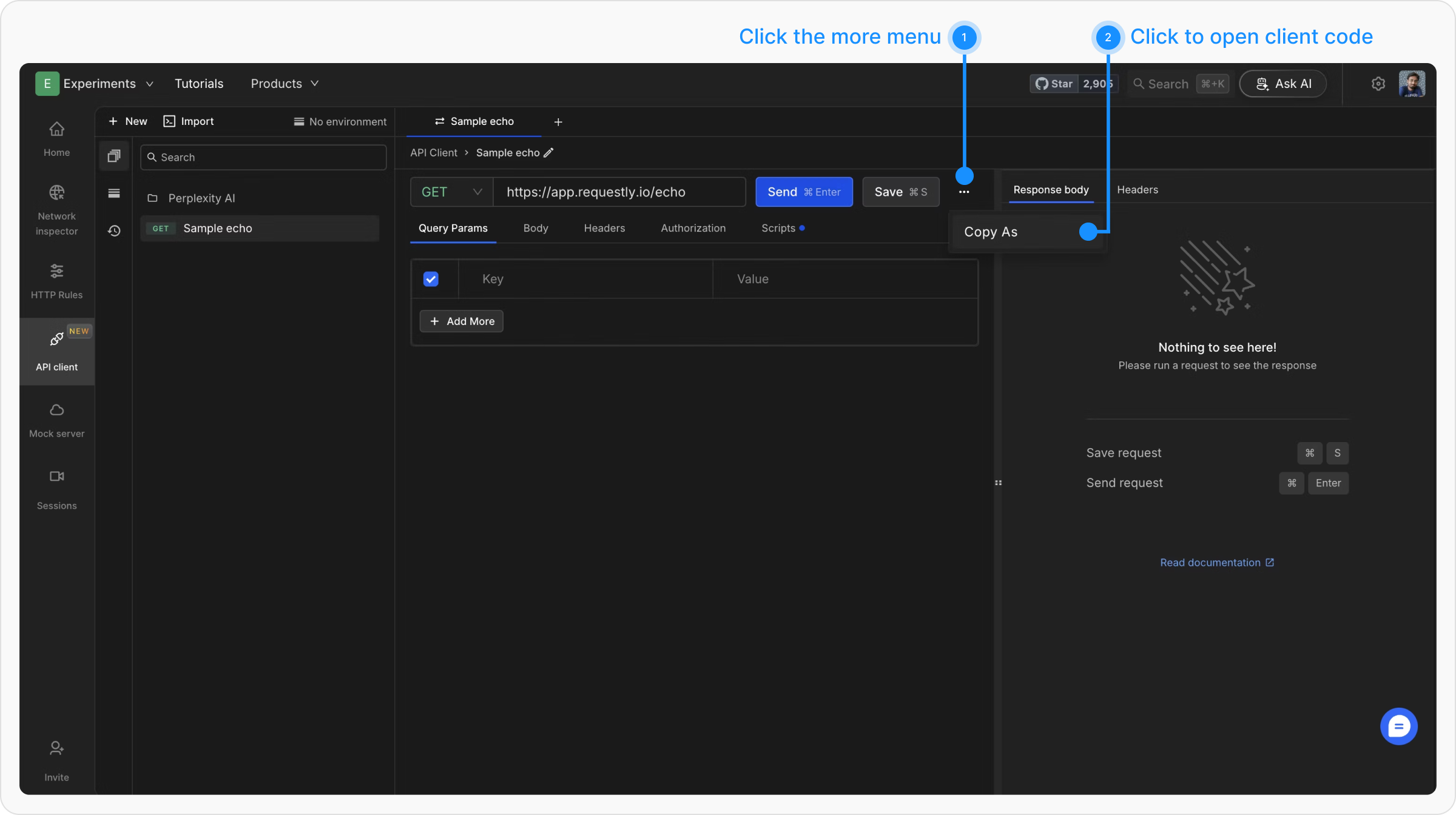
Choose a Programming Language
A modal will open displaying the client code for the selected programming language. You can switch between languages using the dropdown at the top left of the modal.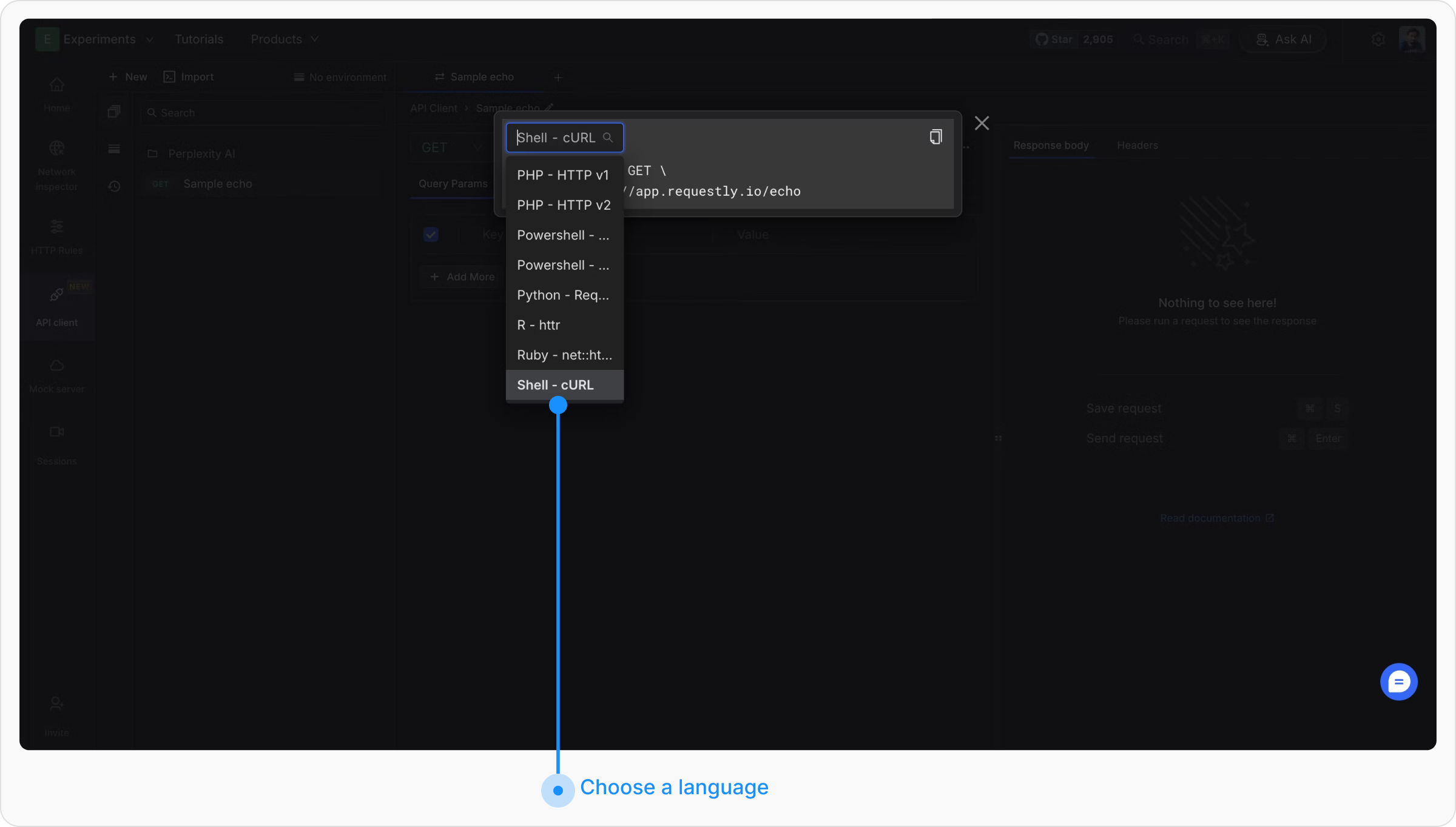
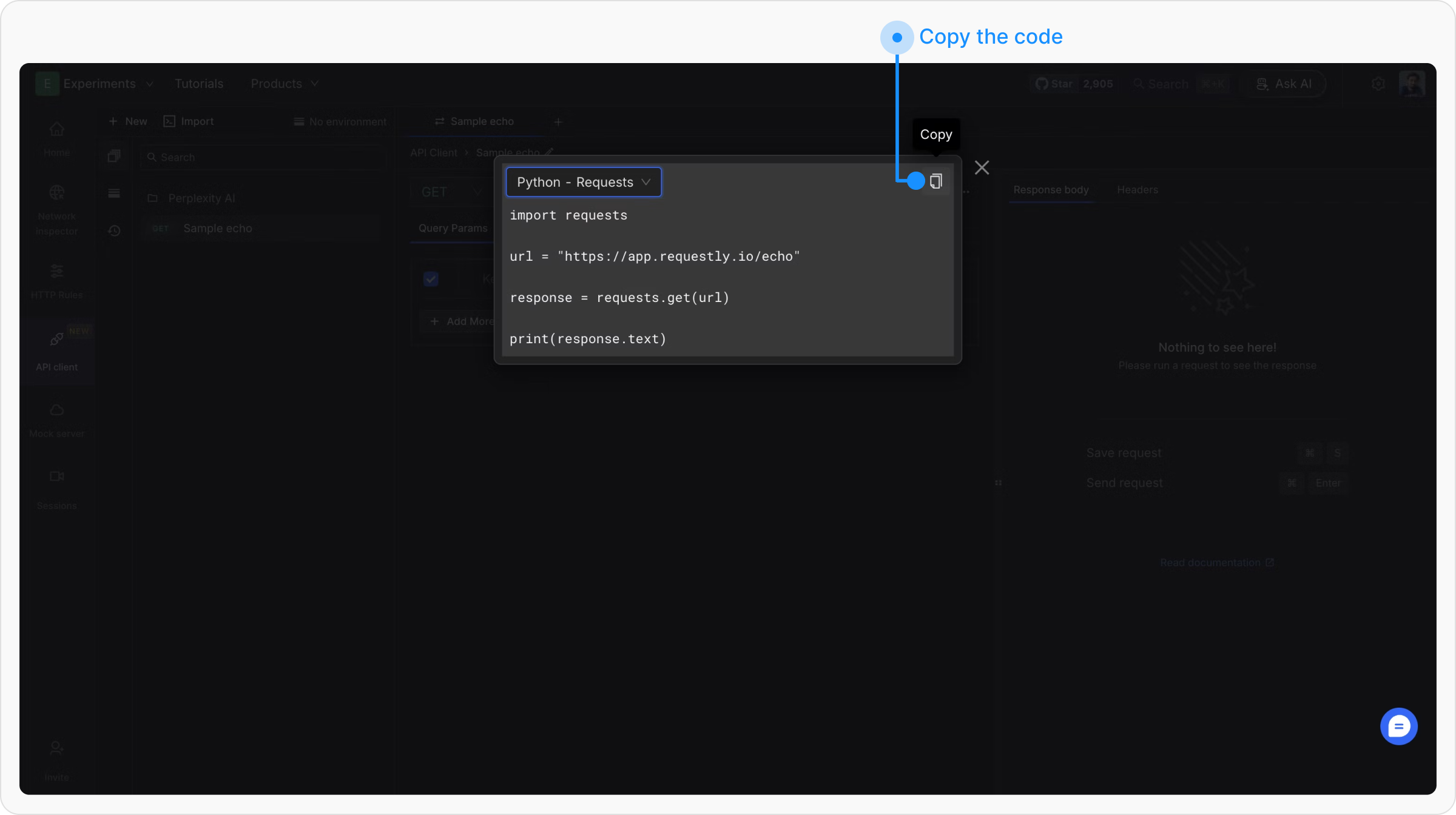
Supported Languages
Requestly supports generating client code in multiple programming languages, covering a wide range of use cases:- PHP - Guzzle
- PHP - HTTP v1
- PHP - HTTP v2
- PowerShell - Invoke-WebRequest
- PowerShell - Invoke-RestMethod
- Python - Requests
- R - httr
- Ruby - net::http
- Shell - cURL
- Shell - HTTPie
- Shell - Wget
We are expanding the list of support languages, if you want to see a particular language here you can either open an issue or directly open a PR on our GitHub repo.